THE SAFE CHOICE FOR
INDUSTRIAL MEMORY AND DATA SECURITY

Be the first to see Datakey’s new Mini-Bar at Electronica, Munich in Hall 5, Booth C176!

Write-Once-Read-Many (WORM) tamper-proof technology

Write-Once-Read-Many (Worm) Tamper-Proof Technology

WORM storage lets you write data once and then locks it, so nothing on the card or drive can be renamed, deleted, reformatted or cloned afterwards. That makes write-once, read-many memory the practical answer when a record has to stand up to an audit, a court or a regulator years after it was created. This guide covers how WORM storage works, where it genuinely fits, what it does not solve, and how to specify it into an embedded design without creating a problem for yourself later.

What WORM storage actually does

WORM stands for write once, read many. Data written to a WORM card or drive is locked at the moment it is written, and the read many part means you can pull that data back as often as you need without touching its integrity.

The detail that matters is where the protection sits. On Flexxon WORM media it is implemented at the hardware and firmware level, not in software you have to install and maintain. There is no application to deploy, no agent to keep patched, and no administrator account that can be used to unlock the media. Somebody with full rights on the host machine still cannot alter what is on the card.

That is a different proposition from a folder marked read-only or a permissions policy applied by the operating system. Those depend on the host behaving itself, and on nobody having credentials they should not have. WORM does not depend on either.

Legal and illegal actions, and what happens when someone tries

Flexxon WORM media distinguishes between what it treats as a legal action and an illegal one, and it responds to that difference on the device rather than in software.

Legal actions are the ones you would expect during normal operation. Creating directories and adding files are both permitted, so a logging application can keep writing across the working life of the card.

There is an important constraint on how that writing happens. WORM media does not support parallel writing, so it does not suit real-time recording, and each file has to finish writing before the next one starts. If your application writes several streams at once, moving to WORM is a design change rather than a drop-in replacement, and it is worth checking before you commit.

Illegal actions are attempts to rename a directory or file, delete a directory or file, reformat the memory, or clone the device. Attempt any of those and the card blocks the change at the firmware level, so the write never lands.

One practical detail catches people out here. The card enforces the block itself, but the error notification back to the user depends on the host supporting it. On Windows that means configuring the host, and on Android there is a Flexxon app for it. Without either, a blocked action shows up when you reinsert the card and check the content rather than at the moment somebody tries it, so build that into your test plan rather than assuming an operator will see a warning.

That last part is worth sitting with. In an audit you are rarely asked to prove that a record is correct. You are asked to prove that nobody could have changed it, and that is a much harder thing to demonstrate with conventional storage.

Michael recommends. Decide early whether the card needs to keep accepting new files after deployment. A device that writes once at commissioning and a device that logs every day are very different specifications, even though both get described as WORM in a requirements document.

Where WORM storage earns its place

WORM suits any application where the value of the record depends on it being provably unchanged. It has been used for long-term archiving for decades, and it replaces the optical media that used to do that job, so CD-R, DVD-R, Zip disks and WORM tape all sit behind it.

The applications that come up most often are these.

  • Long-term archiving, where legal documents, financial records and medical records have to be preserved in original form for years.
  • Regulatory compliance, where a retention obligation applies and the record must be shown to be untouched.
  • Digital forensics, where evidence may end up in front of a court and the chain of custody has to hold.
  • Email archiving, where messages have to be preserved exactly as sent and received.
  • Embedded systems, where a fire panel, a security panel or an EPOS terminal needs an event log that an installer or an operator cannot quietly tidy up.

That last group is the one growing fastest, and it is where the engineering questions get interesting. An archive sits in a controlled room. A fire panel sits in a plant room and runs for fifteen years.

WORM storage in healthcare and medical devices

Healthcare gives you the clearest version of the problem. A diagnostic image, a lab result or a treatment record has direct clinical consequences if it is altered after the fact, whether that alteration is malicious or an honest mistake by somebody with too many permissions.

WORM removes that failure mode entirely. Once a record is written, it cannot be edited, and the reader retrieving it years later is looking at exactly what was captured. For a device manufacturer, that is also a much simpler story to tell an auditor than a software access control policy that has to be evidenced continuously.

The volume argument matters too. Hospitals and device manufacturers generate imaging, telemetry and audit data faster than they generate ways to govern it, and WORM media gives you a storage tier where governance is a property of the hardware rather than a process somebody has to run. If you are working in this area, the medical and healthcare sector page sets out how Nexus approaches memory for medical devices more broadly.

Regulation sits behind all of it. UK GDPR governs how patient data is handled here, and HIPAA does an equivalent job for organisations operating in the United States.

The compliance point that catches people out

Here is the part most WORM articles get wrong, and it is the thing worth knowing before you specify.

Immutability helps you satisfy a retention obligation, because you can show that a record held for its required period was not altered during that period. It does not help you satisfy an erasure obligation, and it can actively work against you. The UK GDPR storage limitation principle says you must not keep personal data for longer than you need it, and a data subject may have the right to have their data erased. You cannot erase a single record from a WORM card.

The practical answer is usually to keep personal data off WORM media and put the things that need to be provably unchanged on it instead, so audit trails, event logs, calibration records, machine settings and integrity hashes rather than identifiable personal records. The dual partition option helps here, because working data can sit on the standard partition while only the record that must be provable sits on the WORM partition. Where personal data genuinely has to be immutable, the media becomes the unit of disposal and the retention schedule has to be built around that from the start.

This is a design decision, not a storage decision, and it is much cheaper to make at the specification stage than after deployment. The ICO guidance on the storage limitation principle is the right starting point, and your data protection lead should be in the room.

WORM storage against ransomware

Ransomware succeeds by encrypting or destroying the copies you would otherwise recover from, and it goes after backups deliberately. Media that physically cannot be overwritten is therefore doing something no software control can promise, because there is no privilege level that unlocks it.

The NCSC makes the same point in its guidance on ransomware resistant backups, which sets out that a backup service should resist malicious editing, overwriting and deletion, not just accidental loss.

WORM is one layer rather than a whole answer. If the concern is an attack reaching the system in the first place, that is a different problem and belongs with something like the X-PHY cyber secure SSD, which puts AI-based detection into the drive firmware. The two are complementary, so one keeps the record honest and the other watches for the attack.

Flexxon WORM specifications

These figures are taken from the current Flexxon Security range.

SpecificationFlexxon WORM
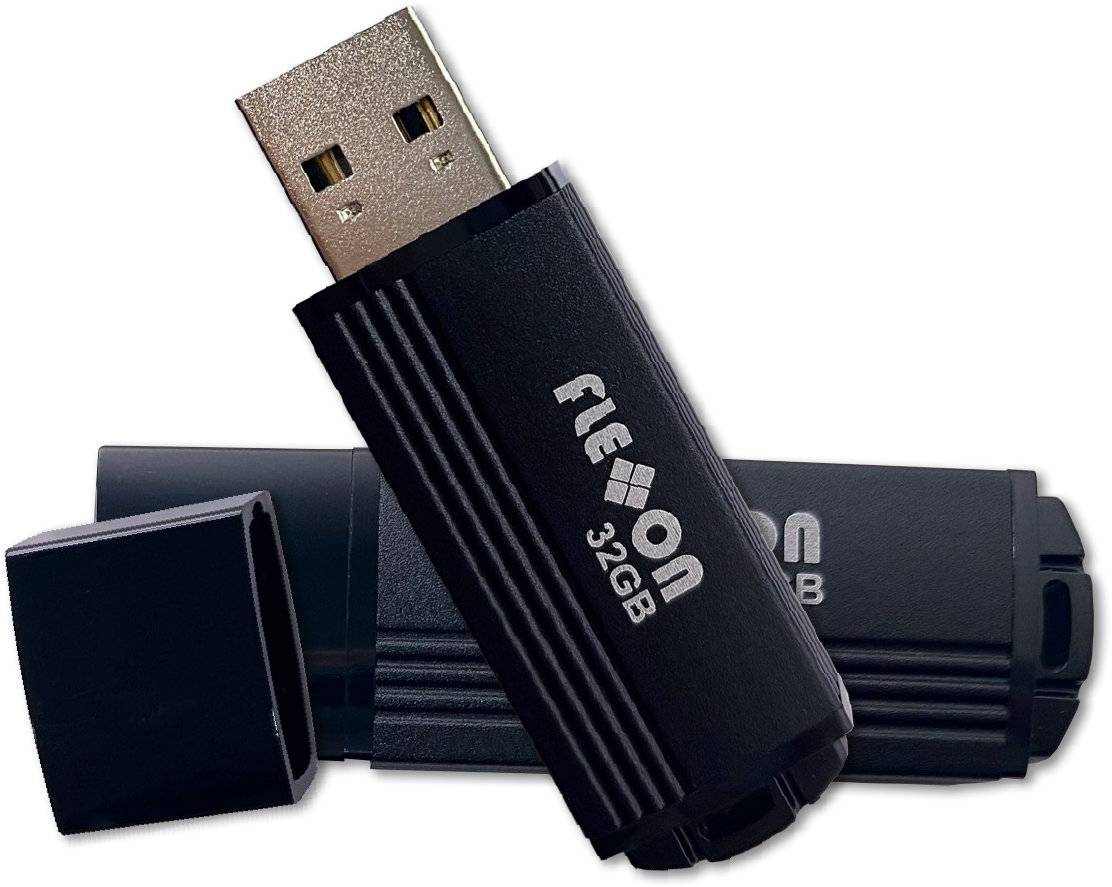
Form factorSD, microSD and USB
FeatureWrite once read many
InterfaceSD 6.1, USB 2.0
Flash typeMLC
CapacityUp to 256GB, ceiling set by form factor
Maximum performance, SDRead 80 MB/s, write 70 MB/s
Maximum performance, USBRead 33 MB/s, write 12 MB/s
Temperature gradeIndustrial

Two things are worth pulling out of that table. The industrial temperature grade means the card is built for the cabinet and the vehicle rather than the office, which is the difference between a device that survives a winter start in an unheated enclosure and one that does not. And WORM mode is the default on the drive, so there is no software activation step to build into your production process or your field service procedure. Confirm the capacity ceiling for the exact form factor you are specifying, because the published ceiling for card and USB variants is not always the same across the Flexxon security ranges.

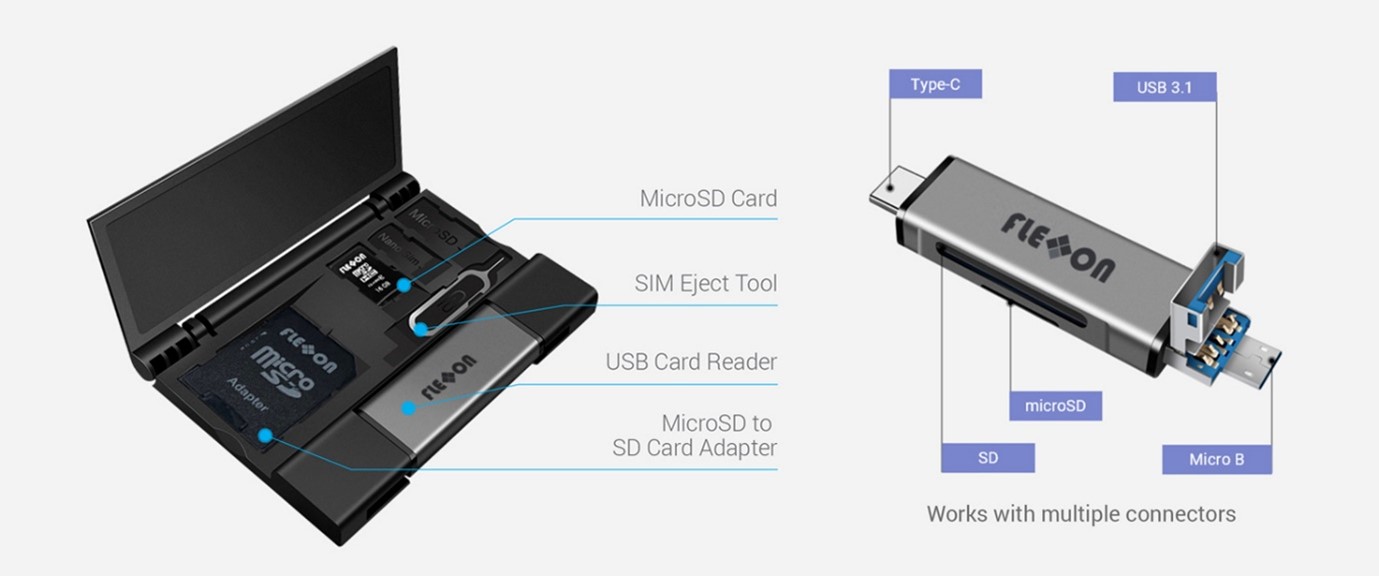
For designs that need the same immutability in card format, the secure SD and microSD range is the place to start, and the wider Flexxon memory card range and Flexxon USB range cover the non-secure variants if only part of your storage needs locking.

Choosing between WORM and the other secure modes

WORM is one of five security modes in the Flexxon range, and picking the wrong one is a common way to end up with media that does not do what the requirement actually asked for.

ModeWhat it doesReach for it when
WORMData can be written once, then never changed, deleted or reformattedYou need a provable, permanent record
ROMThe whole device becomes read-only after activationYou are distributing fixed content or firmware
X-MaskThe drive and its data are hidden until authenticatedThe data should not be visible to an unauthorised holder
X-SignDigital signature and access control on the deviceYou need to verify authenticity or manage licensing
FxLockerPassword-protected AES-encrypted partitionData moves between people and sites

If the requirement is “nobody can change this”, that is WORM. If it is “nobody can see this”, that is X-Mask. The full details on all five sit on the Flexxon Security page.

Specifying WORM into a design that has to last

The engineering questions that decide whether WORM works for you are rarely about WORM itself.

Start with how much you will write across the product life, because a card you cannot overwrite means capacity is consumed permanently and never recovered. A logging rate that looks trivial per day becomes the thing that ends the deployment in year seven. Work it forward across the whole life, then add headroom.

Then look at the operating environment honestly, so the real temperature range inside the enclosure rather than the ambient outside it, along with vibration, shock, humidity, dust and any wash down or chemical exposure. Rugged media exists because commercial parts fail in exactly those conditions, and commercial media in an industrial location is one of the most common reasons a design comes back to us. That is not a criticism of the original specification, because most of these designs were specified sensibly against the information available at the time.

Two more constraints belong on the checklist. The WORM partition uses FAT32 and cannot be reformatted to NTFS, ext3 or ext4, which matters if you are on Linux or expect individual files above the FAT32 size limit. And the card can be supplied with two partitions on request: one standard partition that behaves normally and one WORM partition that does not, which is often the cleanest way to run an immutable record alongside working storage on a single card.

Finally, think about availability. Products in defence, medical, industrial automation and transportation stay in service for a decade or more, and a memory part that disappears from the market forces you back through requalification for reasons that have nothing to do with your design. Long-term supply commitments are the point of working with a value added distributor rather than buying on price. Nexus is the appointed Flexxon partner across the UK, Ireland, Germany, Switzerland and Austria, so when you ask what a part’s availability looks like in five years, you are asking the people who hold that relationship directly. That has been the job here since 1987.

Michael recommends. Send us your write volume per day and your product life in years before you send a part number. Those two figures decide the capacity, and getting them the wrong way round is where WORM projects tend to come unstuck.

Frequently asked questions

Is WORM the same as a read-only card?

No. A read-only device cannot be written to at all after activation, which suits distributing fixed content. WORM keeps accepting new files across its life and simply prevents anything already written from being changed, which is what you want for logging.

Can I delete a single record from a WORM card to satisfy an erasure request?

No, and this is the main reason to keep identifiable personal data off WORM media where you can. If personal data has to be immutable, the card itself becomes the unit of disposal and your retention schedule needs to reflect that.

What happens if somebody tries to reformat it?

The write is blocked at the firmware level, so the stored data is never changed. Renaming, deleting, reformatting and cloning are all treated as illegal actions. Enforcement sits on the card, although the error message back to the user depends on the host being set up to show it.

Does WORM need software installed on the host?

No. WORM mode is the default on the drive and works without any application being installed, which is one of the reasons it suits embedded designs and field-deployed equipment where you cannot rely on a managed host.

Is WORM a replacement for backup?

No. It protects the integrity of a copy but does not create additional copies, so it belongs alongside a backup strategy rather than instead of one.

Talk it through before you commit

If you are weighing up whether WORM is the right fit, the fastest route is a conversation with somebody who has specified it before. Send over your write volume, your product life and your operating environment, and you will get a straight answer rather than a datasheet you have already read.

Get in touch with the Nexus team to talk it through, or take a look at the full Flexxon Security range first. If you would rather see the media in your own application before committing to anything, you can request a Flexxon sample and try it in situ.

Share this:

FREE comparison guide – EEPROM Vs Flash Memory

Request Product Sample

PRODUCT Brochure

"*" indicates required fields

Name*

By submitting this form, you agree to Nexus sending you occasional details about our goods and services, and other value-added information.
For more details, please see our Privacy Notice.